Which components were replaced
Not "a major service" but the individual parts: the oil, the filter, the pads. Each one starts its next interval from that moment.
VEHICLE MAINTENANCE LOG · iOS & ANDROID
Every service RideCheck records carries the date, the mileage it was done at, and the components that were replaced — one continuous history for the vehicle rather than a pile of receipts you hope you kept.


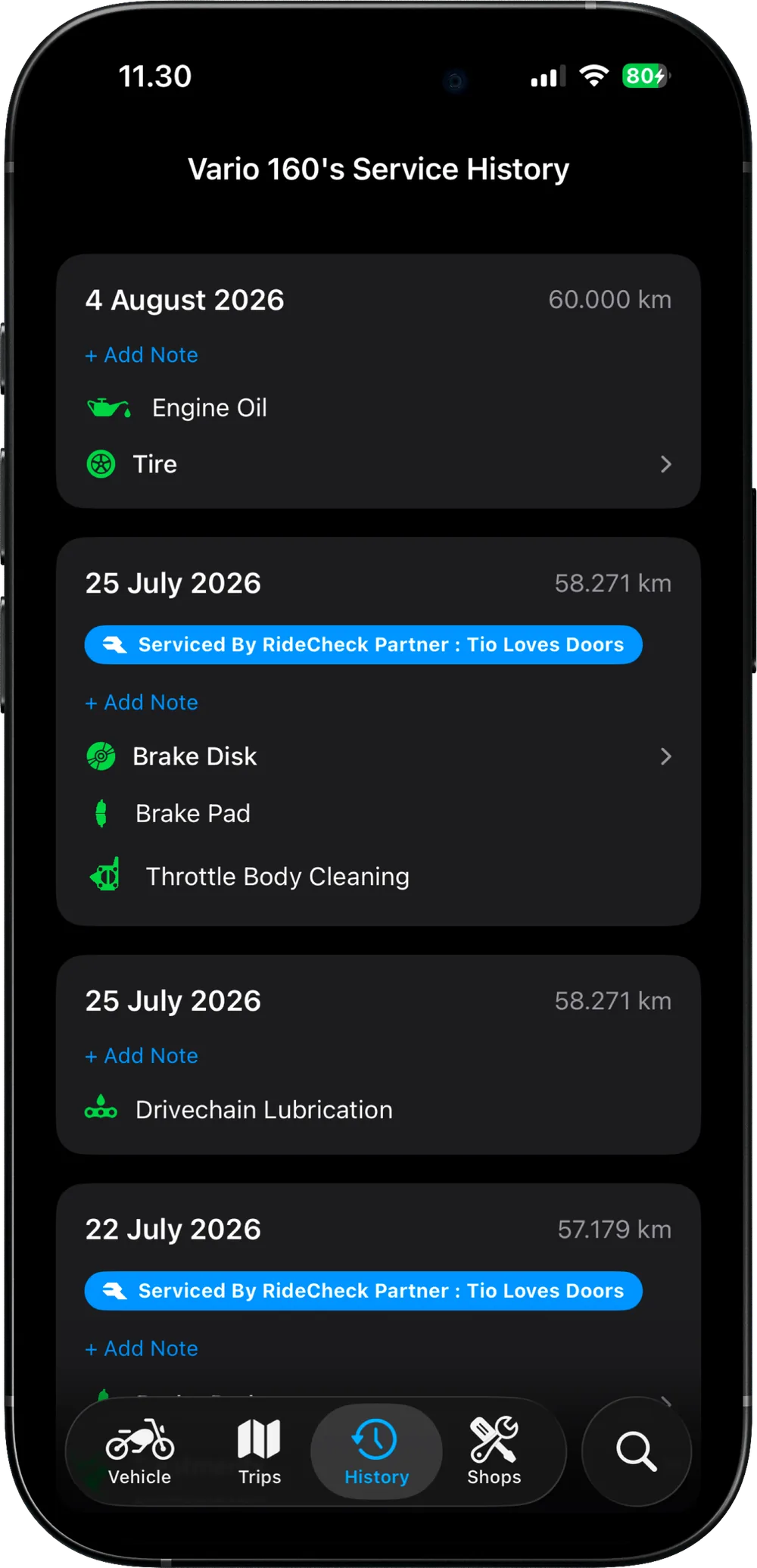
A paper service book records that *a* service happened. This records which parts of the vehicle it actually touched, which is the difference between a stamp and a history.
Not "a major service" but the individual parts: the oil, the filter, the pads. Each one starts its next interval from that moment.
The number that makes the record mean something later — it is what the next interval is measured from, and what a buyer reads it against.
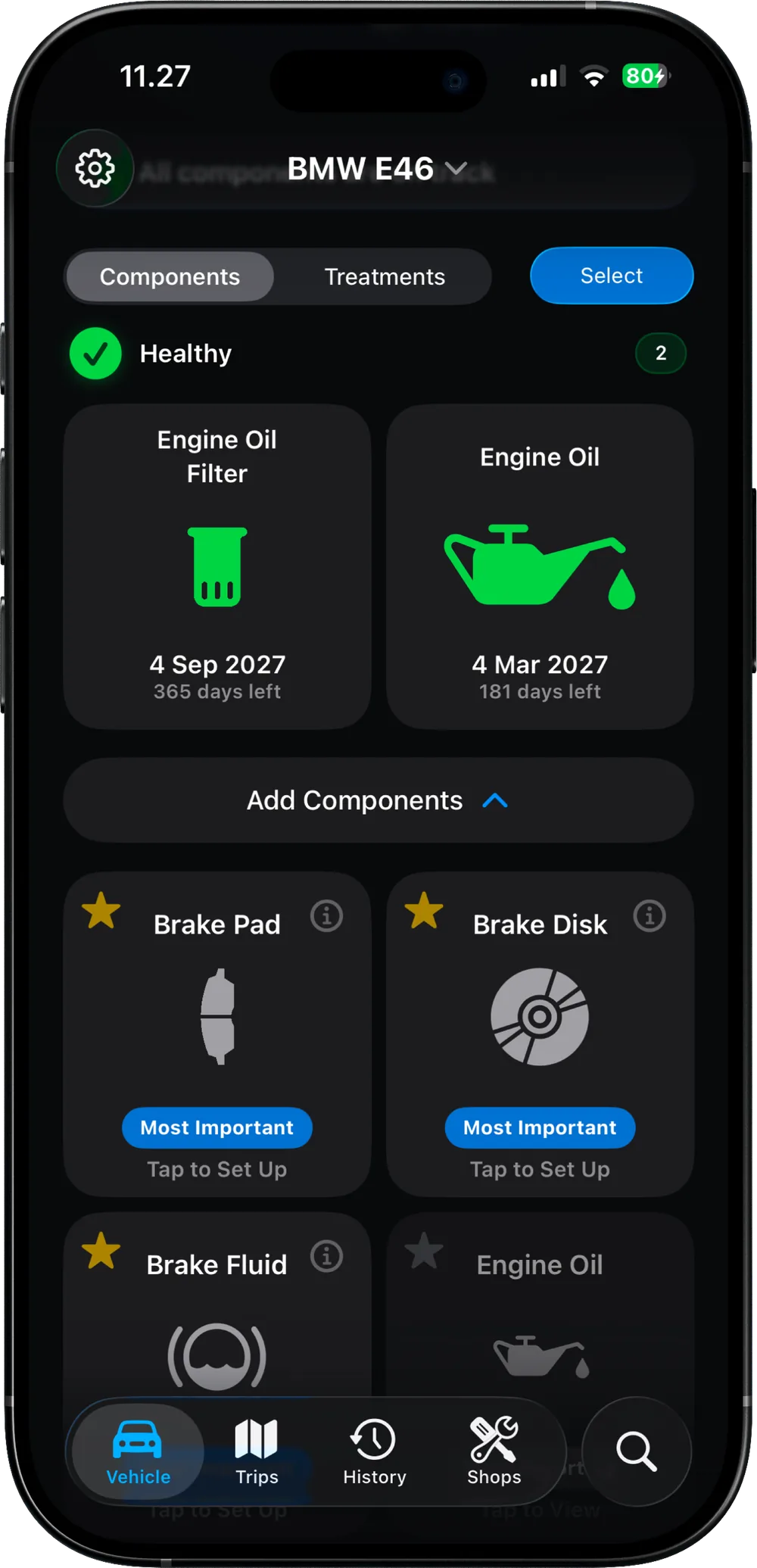
For everything that ages rather than wears — coolant, brake fluid, the battery — the calendar is the interval that matters.
The best maintenance log is the one that does not depend on you remembering to write in it.
When the job is finished you scan the shop’s QR code and the record writes itself — components, date and mileage — with nothing typed by hand and no account or password shared with the workshop.
At a shop that is not a partner, or for work you did in your own garage, you mark the components serviced and the log carries on the same way.
The history is not only what was done to the vehicle — it is also what the vehicle did.
A trip stores its route on a map along with distance, duration, top speed and average speed — and its distance is what advances the odometer the service intervals depend on.
Any trip can be exported as a share card in six formats — card only, with background, sticker, route decal, wear receipt, and a short motion video.
About five minutes, and your motorcycle or car is tracked from then on — every component, every service, every kilometre.
If your question is not here, the app is free — the fastest answer is usually to try it.
A service book is stamped per visit; RideCheck records per component. That means the log can tell you what was actually replaced and when each part is next due, rather than only that someone serviced the vehicle in March. It also cannot be left in the other car or lost in a move.
Vehicle maintenance made simple. No more guessing. Track with precision.
Scan to download
or tap below
© 2026 RideCheck. All rights reserved.
ridecheck2025@gmail.com